
Article Snapshot
| Difficulty | Beginner |
|---|---|
| Reading time | About 15 minutes |
| Prerequisites | Custodial vs. Self-Custody Wallets and Addresses, Private Keys & Recovery Phrases are recommended. |
| What you’ll learn | How hot and cold arrangements differ, how hardware wallets fit in, and which risks remain when signing keys are protected offline. |
Wallets, Ownership & Transactions Learning Path
- Custodial vs. Self-Custody Wallets
- Addresses, Private Keys & Recovery Phrases
- Hot vs. Cold Wallets — You are here
- Crypto Networks & Compatibility
- How Crypto Transactions Work
- Transaction Fees
- Reading a Blockchain Explorer
- Pending, Confirmed & Failed Transactions
- Sending & Receiving Crypto Safely
- Wallet Connections, Signatures & Token Approvals
In This Guide, You’ll Learn
- What makes a wallet arrangement hot or cold.
- How key protection differs from custody.
- How an online app can work with a hardware wallet that signs separately.
- Which risks offline key protection reduces and which remain.
- How to assess a storage arrangement using three practical questions.
Introduction
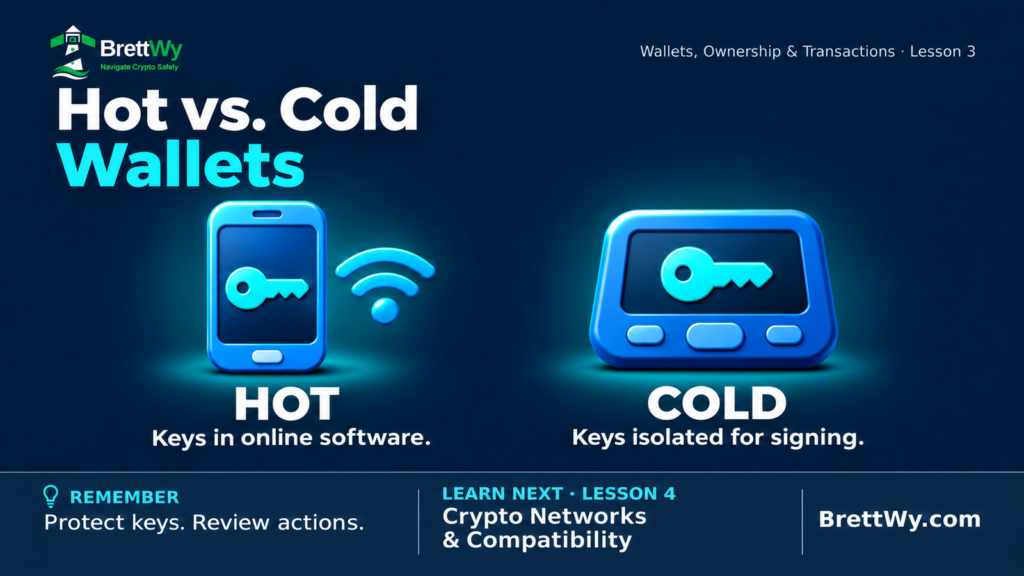
A hot wallet keeps signing keys in an internet-connected environment. A cold wallet arrangement keeps those keys protected offline. The difference concerns how keys are managed and exposed, rather than where the cryptocurrency is recorded.
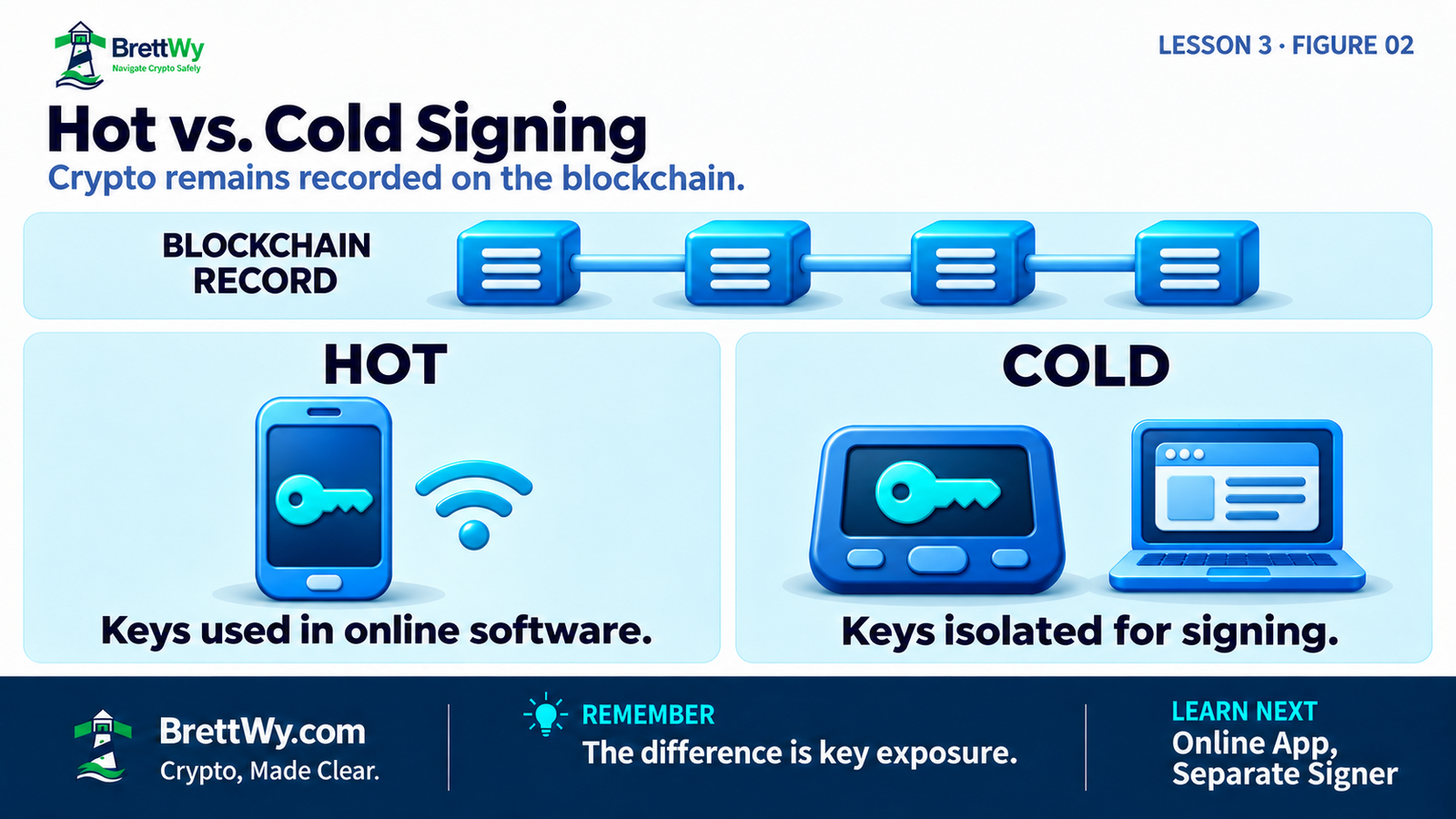
Your crypto remains recorded on the blockchain. A wallet gives you tools to view and use it; a hardware device does not contain the coins themselves. Ethereum.org’s wallet explanation describes this relationship between wallets and accounts.
Lesson 2 introduced signing: a wallet uses a private key to authorize an action. A signer is the software or device that uses that key to sign. This lesson asks where signing happens and what protects the key.
Keep two questions separate:
- Custody: Who can authorize movement?
- Hot or cold: In what environment are the signing keys managed?
A self-custody phone wallet can be hot. A custodial provider can use cold storage. Neither label answers both questions.
The BrettWy Storage Check
Use these three questions to understand a wallet arrangement:
- Keys: Where are signing keys generated, stored and used? Have their backups or copies been exposed online?
- Use: How often do I need to authorize actions, and which access steps can I manage reliably?
- Limits: What still depends on my backups, device and approval decisions?
These questions help you look beyond a product label. You can explore them through official documentation without revealing secrets or moving any crypto.
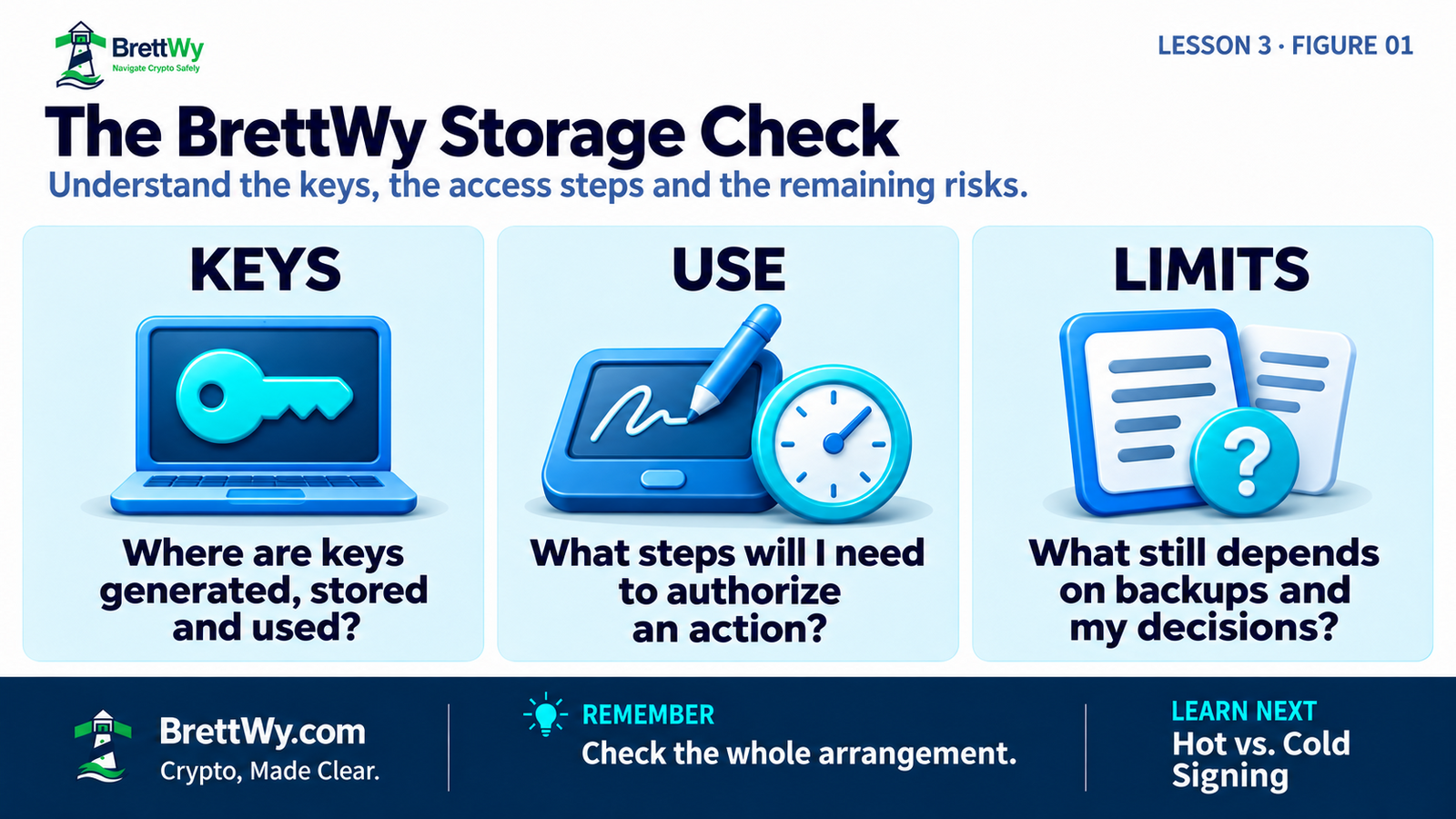
Table of Contents
What Is a Hot Wallet?
A hot wallet uses signing keys held in an environment that connects to the internet. Common examples include a phone app, browser extension or desktop application that stores and uses the keys on that device.
For example, Maya’s self-custody phone wallet holds the keys on her phone. She can open the app and authorize a payment without a separate signing device. Her arrangement is hot, even though she controls authorization herself.
This can make regular use convenient. It also means the protection of her signing keys depends partly on the security of an online device and its software.
A password, PIN or encrypted wallet file can add protection. Those measures do not turn an online signing environment into cold storage. They address different parts of the security problem.
What Is a Cold Wallet?
A cold wallet arrangement is designed to keep signing keys isolated from internet-connected software during generation, storage and signing. With a hardware wallet, the keys can remain inside the signing device while transaction data passes through a connected computer or phone. Protecting the backup is part of maintaining that separation.
One way to do this is with a hardware wallet: a dedicated device designed to hold keys and sign internally. Another is an offline computer used for signing. The latter requires careful handling and is mentioned here to explain the concept, rather than as a setup recommendation.
Bitcoin.org’s security guide describes offline signing and hardware wallets as distinct approaches to key protection.
How an online app works with a separate signer
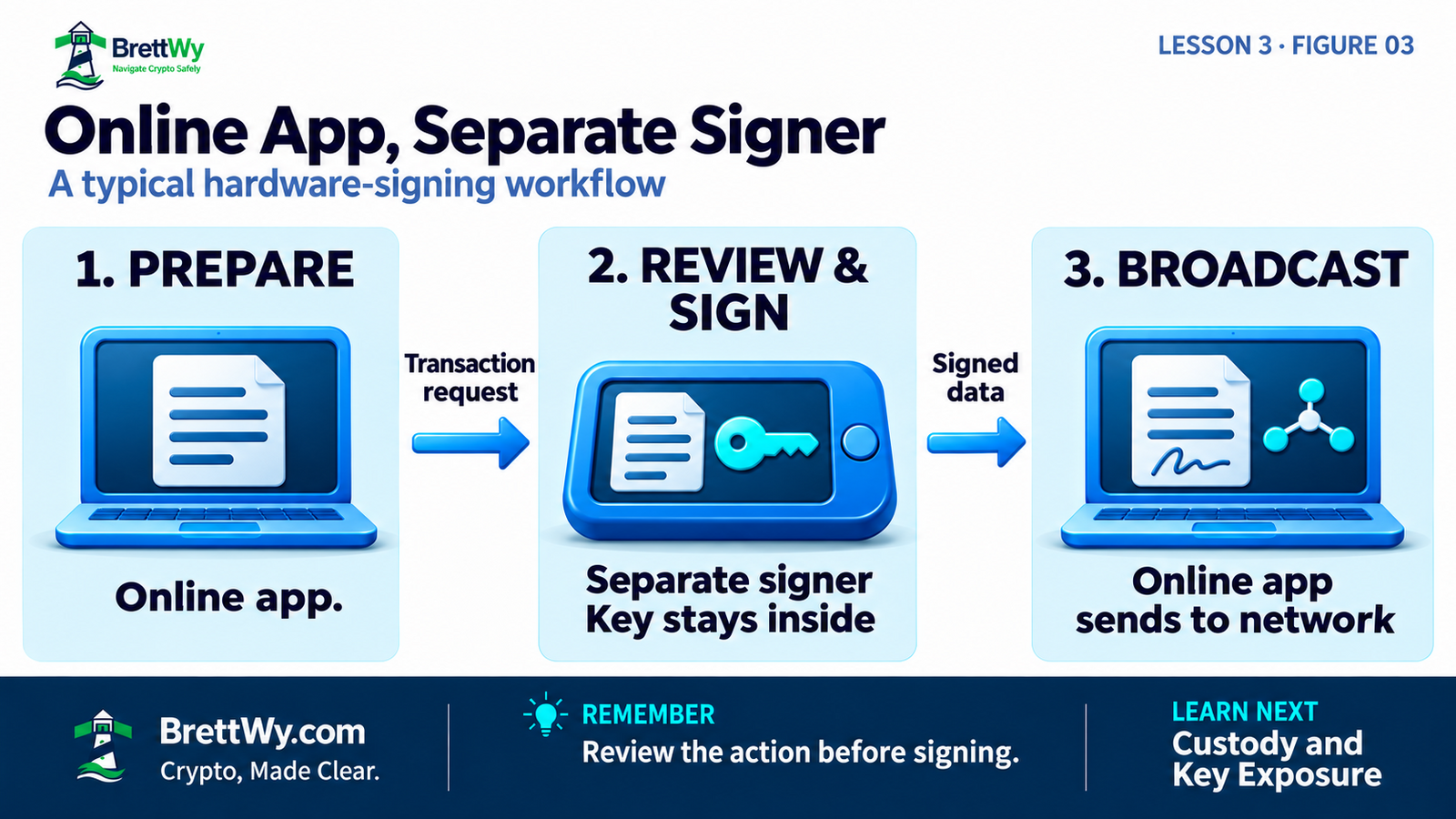
Imagine Leo uses an online wallet interface with a properly configured hardware signer:
- The online interface prepares a transaction request.
- Leo reviews the request on the signer and decides whether to authorize it.
- The device signs internally using its private key.
- Signed transaction data returns to the online interface for broadcast to the network.
Broadcast means sending the signed transaction to the network. The private key does not need to travel with it. MetaMask’s hardware-wallet documentation describes this division of work.
A cable connection does not, by itself, mean that the key has been copied to the online computer. The relevant question is how the device protects and uses the key while communicating with that computer.
Offline key protection does not necessarily mean there is no cable connection.
Viewing and receiving while the signer is offline
A watch-only wallet can display account activity without holding the private keys needed to spend. Electrum documents an arrangement with an online watch-only interface and a separate offline signer.
For ordinary blockchain transfers, the receiving signer does not need to be switched on. The transfer is recorded by the network. An online view of the blockchain is needed to see the updated activity; the offline device is not a box waiting to accept coins.
This does not remove the need for correct receiving details or asset and network compatibility. We examine those compatibility questions in the next lesson.
Hot vs. Cold Wallets: Practical Tradeoffs
Both arrangements involve responsibilities. Compare how they work and what you can maintain consistently.
| Question | Hot signing arrangement | Cold signing arrangement |
|---|---|---|
| Where are keys used? | Within an internet-connected environment | In a separate signing environment designed to isolate keys from online software |
| What does access involve? | Often authorizing through the phone or computer already in use | Accessing a separate signer and following its review/signing process |
| What about online device compromise? | It can put software-held signing keys at risk | Key isolation reduces direct exposure, but the connected computer or phone can still present misleading requests |
| What must I maintain? | App/device security and the applicable recovery arrangements | Signer security, protected recovery arrangements and the supporting interface |
| What happens if a device is lost? | Recovery depends on the wallet’s documented method and required information | Recovery also depends on the documented method and required information |
| Can a harmful approval still cause loss? | Yes | Yes |
Frequency of use helps explain the tradeoff, but it does not define the category. An unused phone wallet does not become cold simply because you rarely open it.
There is no universal balance threshold at which everyone should change arrangements. The useful question is which risks you are addressing and which responsibilities you can handle.
Hardware Wallets and Cold Storage
Hardware wallet describes a device. Cold storage describes an arrangement for protecting signing keys. The device’s role matters, along with how the keys were created, where copies exist and how recovery information is handled.
A device cannot erase a key’s previous exposure. Loading an existing hot-wallet recovery phrase into hardware does not remove copies that might remain elsewhere or undo a previous compromise.
Similarly, turning off a phone’s Wi-Fi does not establish that its keys were generated and maintained offline. Think about the key’s history, rather than the device’s current connection icon.
Connecting a signer is different from importing its phrase
A supported hardware connection lets the online interface request signatures from a separate device. Typing that device’s recovery phrase into a software wallet gives the software access to the information needed to recreate the keys.
The connection exchanges transaction data; phrase import exposes recovery secrets to the software environment.
Follow the wallet’s official instructions for supported connections and recovery. An unexpected request to enter recovery words is a reason to stop and investigate.
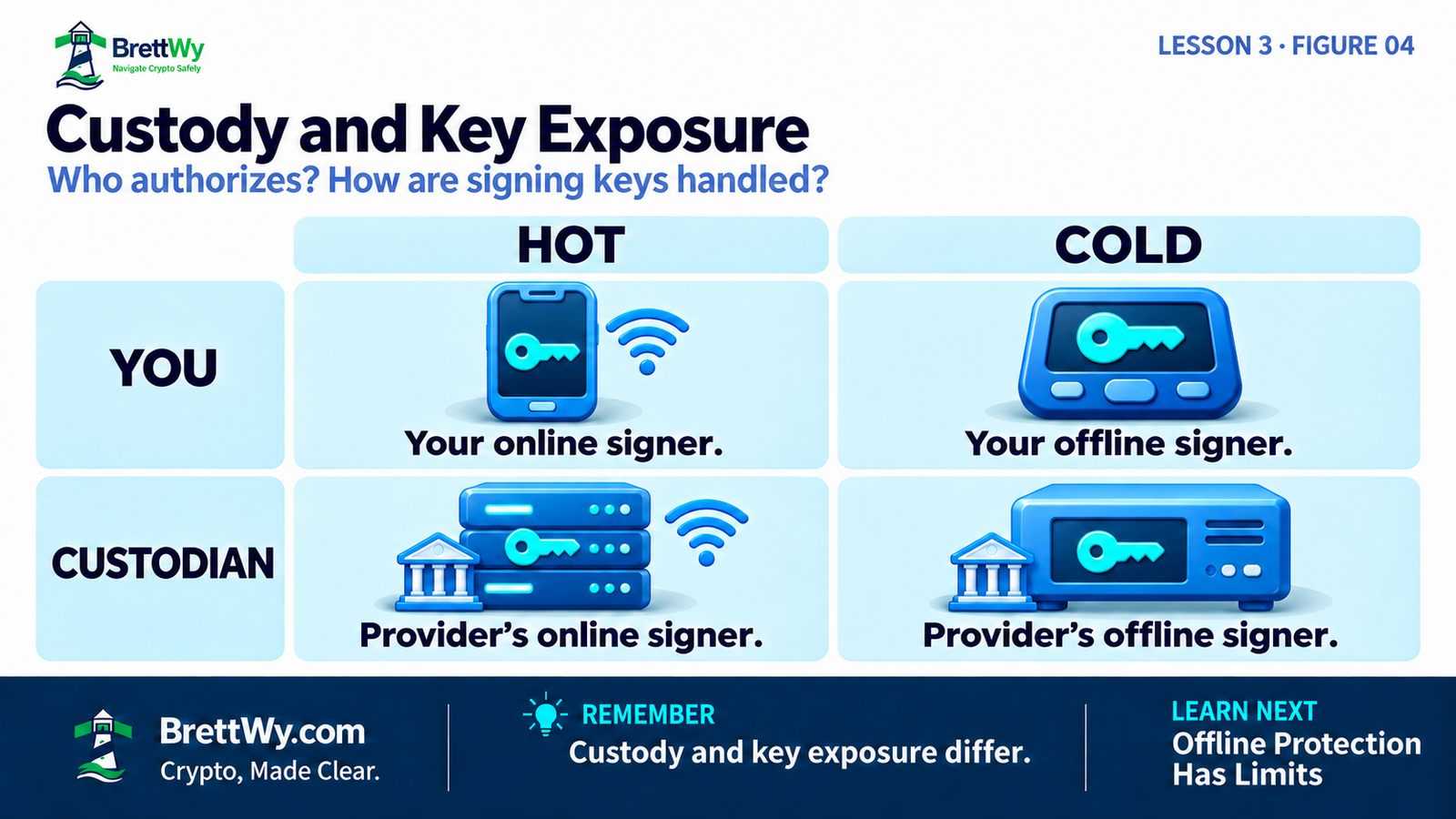
Cold storage does not tell you who has custody
Consider four possible arrangements:
| Who controls authorization? | Hot example | Cold example |
|---|---|---|
| You, in a conventional self-custody setup | Keys held and used by your online phone wallet | Keys kept offline by your separate signer |
| A custodial provider | Provider operates an online signing system | Provider operates an offline signing arrangement |
For example, Coinbase describes using both hot and cold arrangements within its custody operations. That is evidence that the categories overlap, rather than a guarantee about a provider’s security.
A customer’s login does not determine how a custodian stores its signing keys. The custody responsibilities discussed in Lesson 1 still apply.
What Offline Key Protection Can—and Cannot—Do
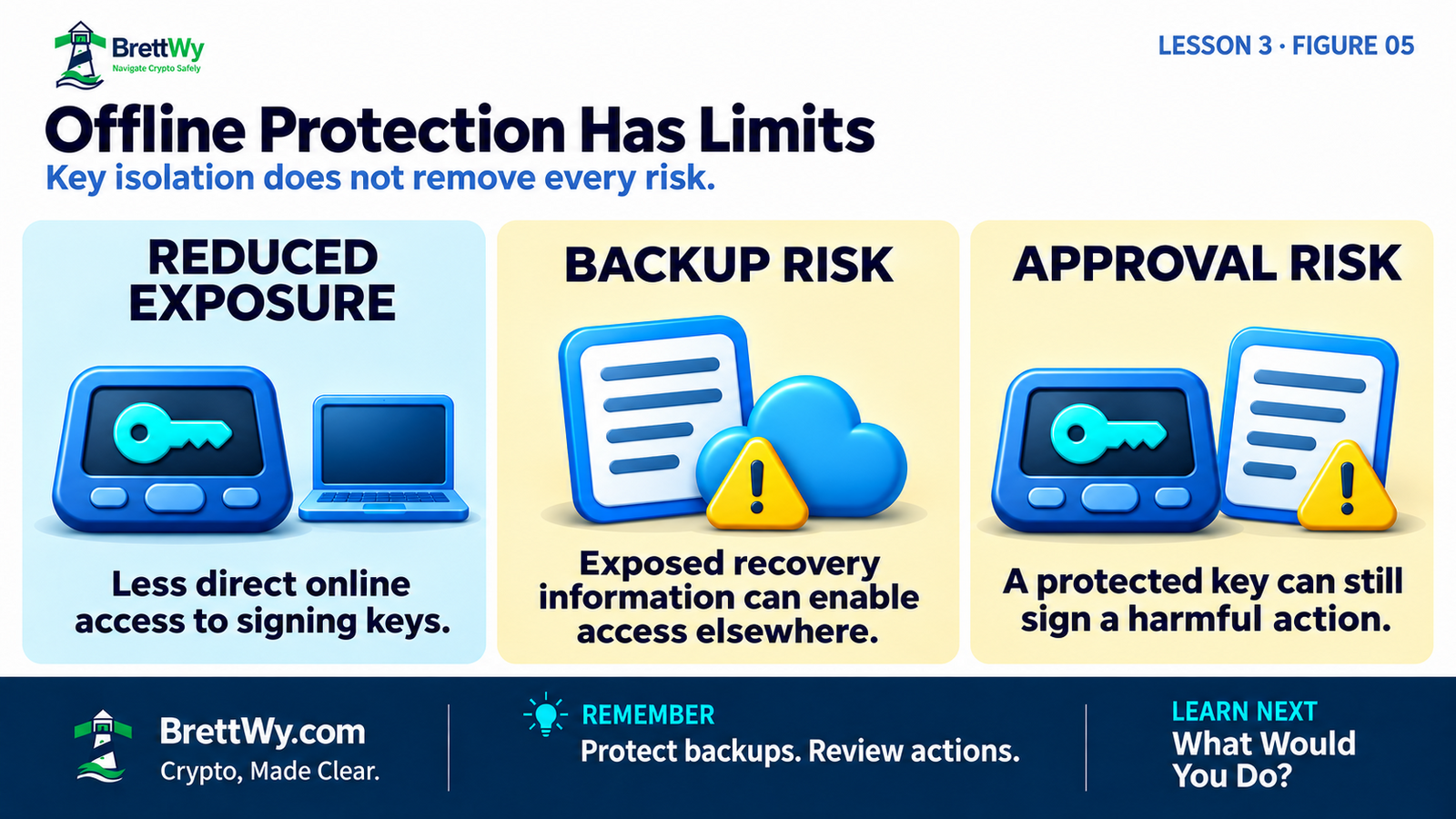
The main benefit is reducing the exposure of signing secrets to an online environment. A properly functioning separate signer is designed to keep those secrets from being extracted through the connected computer or phone.
That benefit is specific. Other ways to lose access or authorize a loss remain.
An exposed recovery backup can bypass the device
Suppose Leo photographs his recovery words and the image syncs to cloud storage. If someone obtains sufficient recovery information, they may be able to recreate signing access elsewhere without Leo’s hardware device or its PIN.
This example assumes a conventional phrase-based setup. As Lesson 2 explains, recovery also depends on compatibility, any required passphrase and the accounts covered by the backup.
Ethereum.org’s security guidance warns against screenshots of signing and recovery secrets because they can expose that information through cloud services.
A protected key can still sign a harmful action
Suppose Leo is tricked into approving a transfer to the wrong recipient. His device may protect the private key exactly as intended while using it to sign that transfer.
The same general problem applies when someone is misled into authorizing a harmful permission. Protecting the key does not establish that the requested action matches the user’s intention.
Loss, physical access and device problems still matter
Offline protection does not make a device immune to theft, faults or weaknesses in the device or its software. Its protections depend on its design, software and use. Firmware is the software that runs on the device itself.
If the signer is lost or fails, your recovery arrangements matter. A missing backup, incorrect required passphrase or incomplete recovery plan can still prevent access.
Cold storage also cannot correct an incompatible network choice or a wrong destination. It protects a part of the authorization process; it does not validate every decision around it.
Apply the Storage Check to Your Needs
Return to Keys, Use and Limits. These examples describe different needs without prescribing a purchase or a particular allocation.
Maya: regular access from a phone
- Keys: Her app holds and uses them on her online phone.
- Use: She values access without a separate signing device.
- Limits: She still needs to protect the phone, app and recovery route, and understand each authorization request.
Calling this arrangement self-custodial tells Maya about control. Calling it hot tells her about the signing environment. Both descriptions are useful.
Leo: a separate signer for less frequent use
- Keys: They are generated and used in a separate signer, with recovery information kept offline.
- Use: He accepts extra access and review steps when authorizing an action.
- Limits: He must maintain the signer and backup, and avoid signing requests he does not understand.
Leo’s arrangement addresses online key exposure. Its usefulness still depends on whether he can maintain those responsibilities.
What if someone uses more than one wallet?
Some people separate frequent activity from holdings they rarely use. That can limit shared exposure when the arrangements use independently protected keys and recovery information.
Two apps, two devices or two addresses do not automatically establish that separation. They may rely on the same recovery phrase or share another weakness. More wallets also mean more information and processes to manage.
For arrangements involving multiple signers or additional account rules, assess all required signers and recovery routes. The single-key examples here do not describe every possible design.
Try the check without moving funds
Choose an arrangement you use or are learning about. Using its official documentation, write down:
- Keys: Where does signing happen, and what protects the keys and their backups?
- Use: What would you need whenever you authorize an action?
- Limits: What could you review before approving an action, and what would you do if you could not understand it? What would you need if the device became unavailable?
Record unanswered questions. You do not need to enter recovery words, reset a device, make a purchase or send a transaction to complete this exercise.
Key Takeaways
- Crypto remains recorded on the blockchain; a device protects access tools and signing keys.
- Hot/cold concerns the signing environment. Custody concerns who controls authorization.
- A hardware wallet can support offline key protection, but the label alone does not establish how keys and backups have been handled.
- Offline signing reduces online key exposure. It cannot prevent every harmful approval, backup loss or recovery-secret theft.
- Compare access needs and manageable responsibilities using Keys, Use and Limits.
Frequently Asked Questions
Can a cold wallet receive crypto while it is offline?
For an ordinary blockchain transfer, the receiving signer can remain offline. The network records the transfer. You need correct receiving details and an online view of the chain to check the resulting activity.
Does connecting a hardware wallet make it hot?
Not simply because it is connected. A supported hardware connection can exchange transaction data while keeping the signing keys isolated inside the device. Importing its recovery phrase into an online app is a different action.
Does switching off Wi-Fi make a wallet cold?
No. Turning off Wi-Fi does not establish that the keys and backups have been kept isolated from online software.
Does buying hardware protect an already exposed recovery phrase?
No. Hardware cannot undo an existing exposure. Follow the wallet’s official guidance for suspected compromise before relying on that arrangement.
Test Your Knowledge
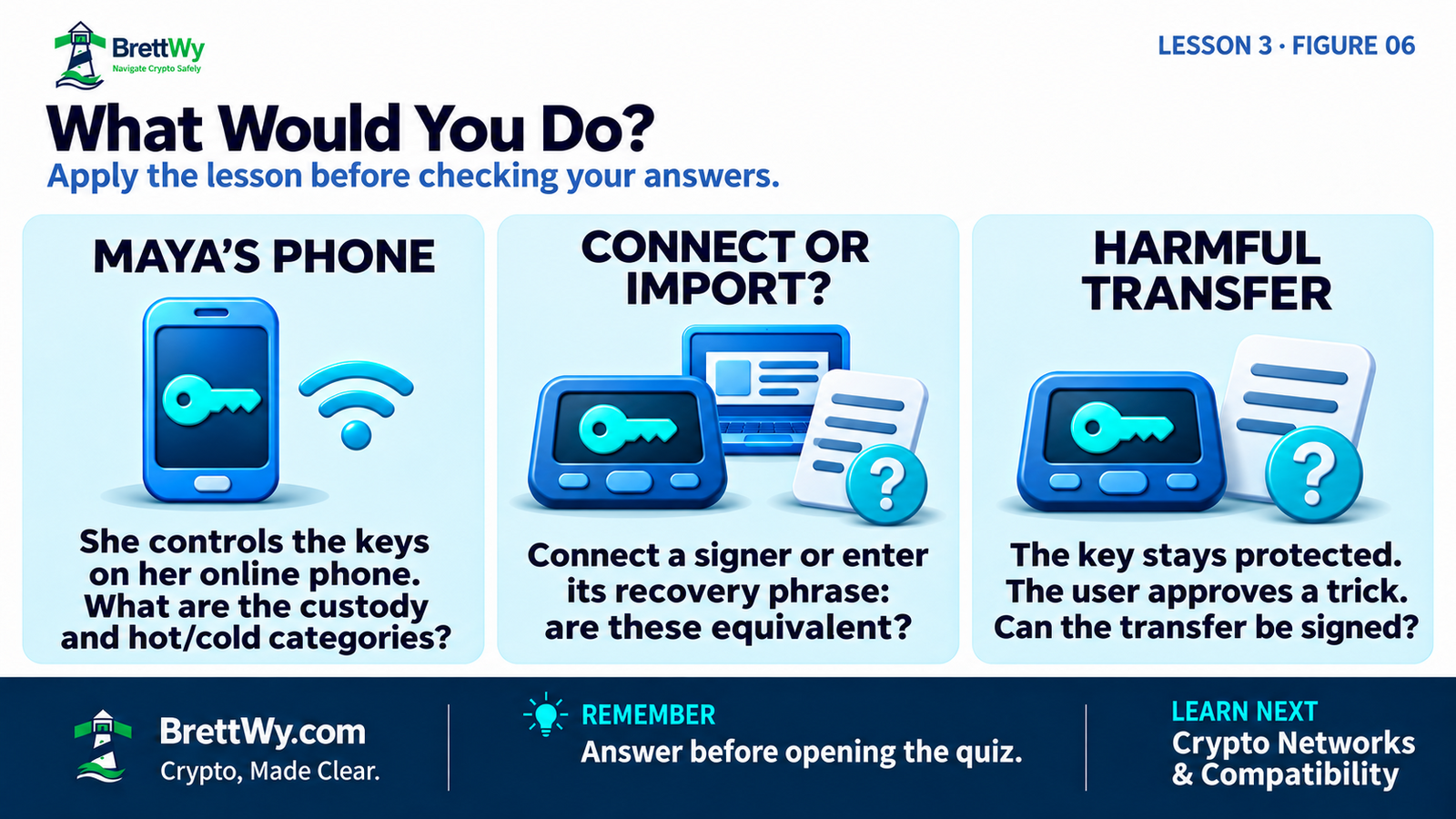
- Maya controls her wallet’s authorization, and its keys are held on her internet-connected phone. How would you describe its custody and signing environment?
- Leo wants to use an online interface with his hardware signer. Is connecting the supported signer equivalent to typing its recovery phrase into that app?
- Leo’s private key stays inside his signer, but he approves a deceptive transfer. Does keeping the key isolated prevent that transfer from being authorized?
Check Your Answers
- Self-custody and hot. Control and key exposure answer different questions.
- No. A supported connection requests signatures from the device. Importing its recovery phrase into software exposes the information needed to recreate signing keys to that software environment.
- No. The device can protect the key while signing the harmful transfer he approved. Key protection and action review serve different purposes.
Official and Educational Resources
- Ethereum.org — Wallets: How wallet interfaces relate to accounts, keys and blockchain activity.
- Bitcoin.org — Securing Your Wallet: Offline signing, device security and backup responsibilities.
- Electrum — Cold Storage: A Bitcoin-specific example separating an online watch-only interface from an offline signer.
- Trezor — What Is a Hardware Wallet?: A manufacturer’s description of internal signing and key isolation.
- MetaMask — How to Use a Hardware Wallet: How an online interface works with a hardware signer and why existing hot-wallet recovery secrets require care.
- Ethereum.org — Security and Scam Prevention: Recovery-secret exposure and the importance of reviewing transactions and permissions.
- Coinbase — How Coinbase Protects Customer Assets: A provider’s description demonstrating that custodial operations can use both hot and cold arrangements.
Final Thoughts
A useful wallet decision starts with understanding what the arrangement protects and what it asks you to maintain.
Use the Storage Check to identify where the keys are handled, how you will use the wallet and which risks remain. An unanswered question is a reason to investigate before relying on the arrangement.
Continue Your Crypto Education
Return to Lesson 1 on wallet custody if you need to revisit who controls authorization. Review Lesson 2 on keys and recovery phrases for the roles of signing and recovery information.
Learn why the asset, network and receiving service must work together, and why a familiar-looking address alone does not establish compatibility.
About This Content
BrettWy creates beginner-friendly cryptocurrency education with a focus on clear explanations, practical security, and understanding risk. Content is developed with AI assistance, and relevant sources are linked so readers can explore the underlying information.
Crypto products, services, and technical guidance can change. Check current information with the original source before taking action.
Found an error or outdated information? Email info@brettwy.com with the article URL and the detail you believe needs attention. Never include passwords, private keys, or recovery phrases.
Educational and Risk Disclaimer
BrettWy provides this article for general educational and informational purposes only. It does not constitute financial, investment, legal, tax, accounting, cybersecurity, or other professional advice.
Cryptocurrency wallets, private keys, recovery phrases, self-custody, third-party custodians, applications, devices, and blockchain transactions involve significant risks, including credential theft, malicious software, fraudulent approvals, scams, provider failure, irreversible mistakes, and permanent financial loss.
No wallet, device, custodian, application, security method, or recovery process can eliminate every risk or guarantee the safety of digital assets. Verify current information through official sources and consult qualified professionals when appropriate.